Pokedex & Build Finder - Everything You Need to Know
Two of the most used tools on the Crimson Core website are the Pokedex and the Build Finder and they live on the same page, side by side. If you are trying to track down a specific Pokemon in the wild, search a Pokemon that has a specific move, or build a competitive team ready for PvP, this page has you covered without ever leaving the site. Here is a full breakdown of every feature and how to get the most out of it.
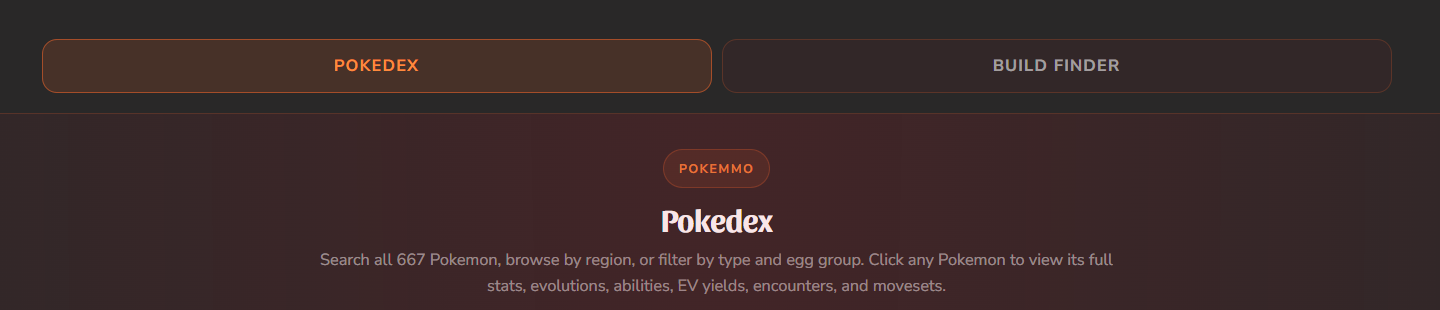
At the top of the page you will find two tabs: Pokedex and Build Finder. Clicking between them switches the entire view instantly with no page reload. This means you can look up a Pokemon in the Pokedex, note its stats and egg groups, then flip to the Build Finder to check competitive sets for it all in a few seconds. Both tools are powered by live data from the Crimson Core API.
The search bar at the top of the Pokedex is not just a name lookup. You can type any of the following and the list will filter in real time:
- Pokemon name - type "bul" and Bulbasaur appears instantly
- Dex number - type "001" to go straight to the first entry
- Move name - type "thunderbolt" to find every Pokemon that can learn it via level-up, TM, egg, or tutor
- Route or location name - type "Mt. Moon" to see every Pokemon catchable there
- Habitat - type "cave" or "forest" to filter by habitat type
- Held item - type "leftovers" to find wild Pokemon that carry it
The search runs entirely in your browser, no server round trips, no delay. As soon as you stop typing the results are already there.
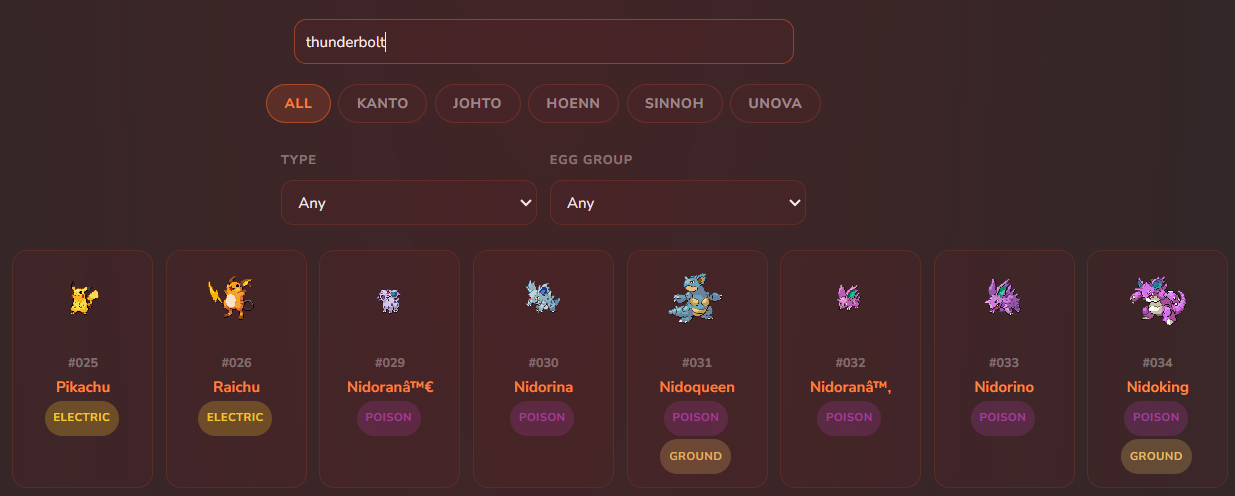
Below the search bar are five region tabs, one for each region available in PokeMMO. Clicking a region instantly filters the Pokedex to show only Pokemon that are registered from that region. This is useful when you are playing through a specific region and want to see what is available to you without scrolling through all 667 entries. Combine a region tab with the search bar or type filters for very precise results, such as all Water type Pokemon catchable in Hoenn.
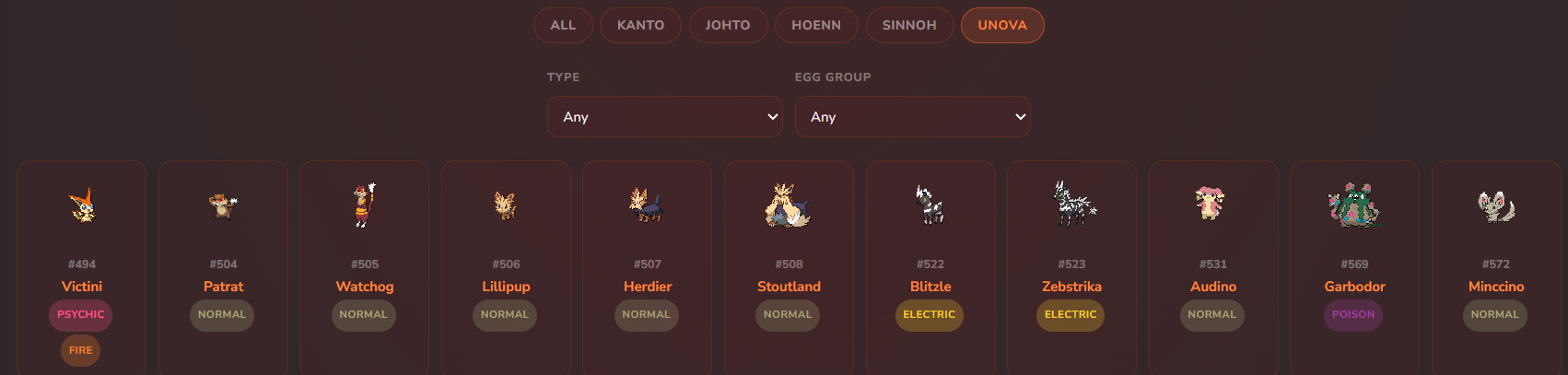
Two dropdown filters sit below the region tabs. The Type dropdown covers all 17 types from Normal through to Steel. The Egg Group dropdown covers all 15 breeding groups. These filters stack with the search bar and region tabs, so you can do things like:
- Find all Dragon-type Pokemon in Unova
- Find every Field egg group Pokemon that learns a specific move
- Find Ghost types with an Amorphous egg group for breeding chains
For breeders, the egg group filter alone saves a significant amount of time when building chains.
The main body of the Pokedex displays all matching Pokemon as cards. Each card shows the official sprite, dex number, name, type badges with colour coding, primary region, and egg groups. The type badges use the standard type colours from the games so Water is blue, Fire is orange, Psychic is pink, and so on, making it easy to scan the list visually without reading every entry. Clicking any card opens the full detail view.
Clicking any Pokemon opens a full detail panel. This is where the Pokedex really earns its place. Here is every section it contains:
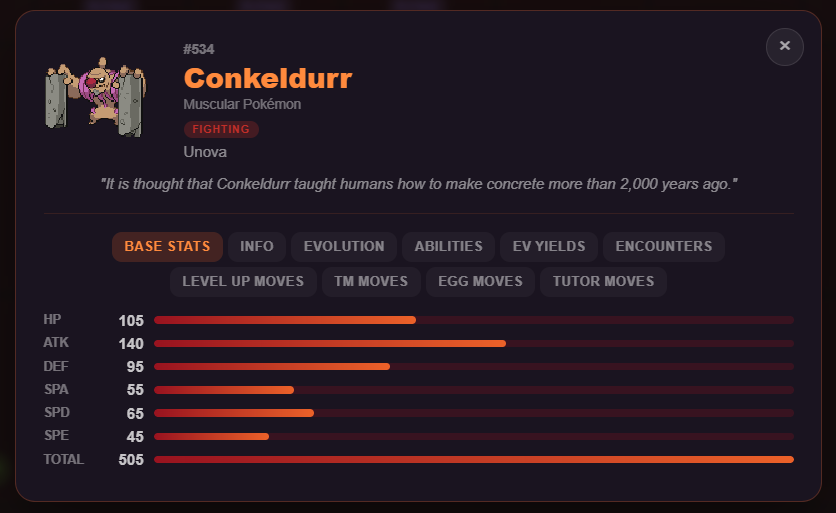
All six base stats - HP, Attack, Defence, Sp. Attack, Sp. Defence, and Speed - are displayed with colour coded progress bars scaled against the maximum possible stat of 255. The total base stat is shown underneath. This makes it immediately obvious whether you are looking at a tank, a sweeper, or a balanced attacker.
Below the stats you will find a full info table covering height, weight, capture rate, base happiness, gender ratio, EXP curve type, egg groups, habitat, and whether the Pokemon is legendary or mythical. The capture rate is particularly useful when planning a catching run - lower numbers mean it is harder to catch. Gender ratio matters for breeding certain egg moves that require a specific gender parent.
If a wild Pokemon can be found carrying an item, it is listed here with the rarity of the hold. This is a useful shortcut for farming held items without looking up guides - just find the Pokemon in the Pokedex, check its held item section, and head to the right encounter location.
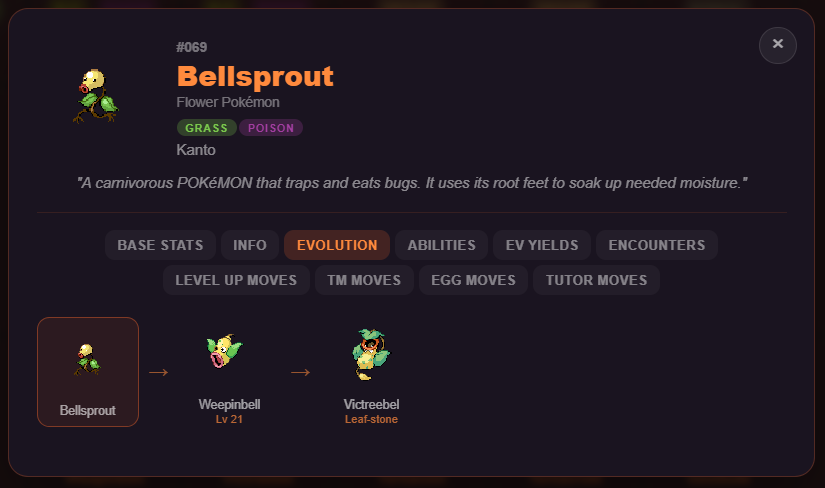
The evolution chain is displayed as a clickable row of sprites. Clicking any Pokemon in the chain immediately loads that Pokemon's full detail panel. So if you are looking at Eevee and want to check Vaporeon's stats, one click takes you there without going back to the list.
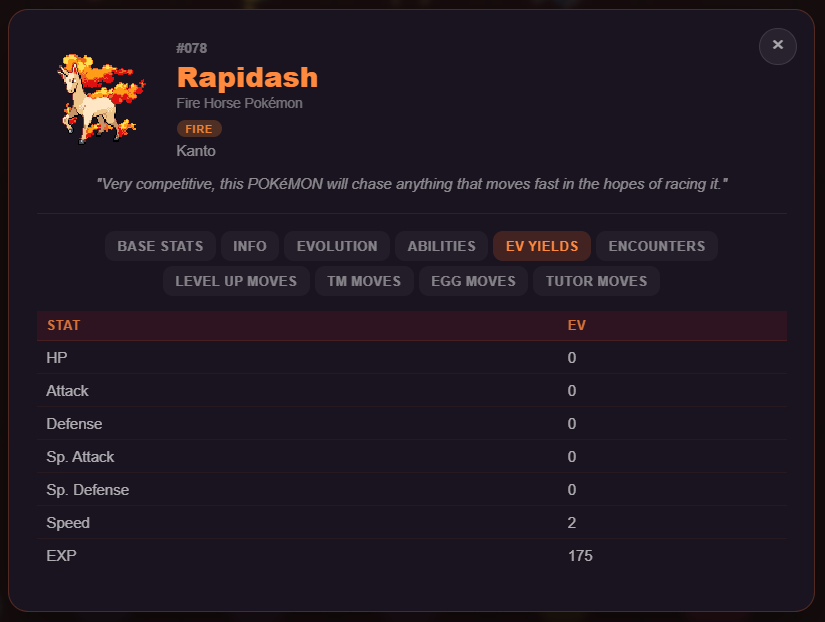
Every Pokemon lists the exact EVs it yields when defeated. This makes it easy to plan EV training routes directly from the Pokedex. Search the Pokemon you want to farm, confirm its EV yield, then cross reference its encounter locations all on the same page.
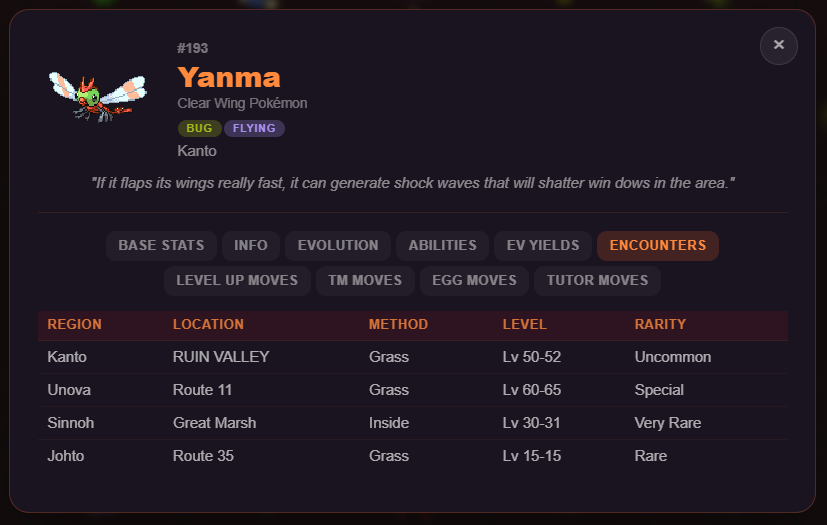
This section lists every location where the Pokemon appears in PokeMMO, including the region, specific route or area name, encounter method (Grass, Cave, Fishing, Headbutt, Dust Cloud, and more), the level range it appears at, and its rarity (Very Common through to Lure-exclusive). If a Pokemon cannot be found in the wild it says so clearly, saving you from wandering around looking for something that has to be evolved or traded.
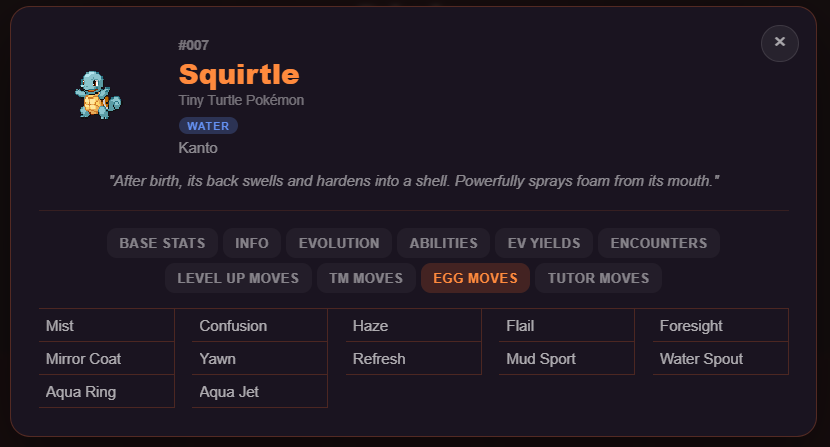
The moveset section is split into four categories: Level-Up Moves (sorted by level learned), TM and HM moves, Egg Moves, and Tutor Moves. This is the most complete moveset reference available for PokeMMO without needing to check multiple external wikis. If you are building a breeding chain specifically to get an egg move, you can check the move is actually available before starting.
PokeMMO's battle mechanics are based on Generation 5, the same generation as Pokemon Black and White. This means the Smogon Gen 5 tier lists and competitive sets translate directly into the game. The Build Finder pulls those sets and presents them in a clean, searchable format so you do not have to dig through forum threads or external databases.
Every one of the 667 Pokemon available in PokeMMO is covered. Whether you are looking for a standard OU set for a Pokemon like Garchomp, a niche RU pick, or a Little Cup set for competitive LC play, it is all in there.
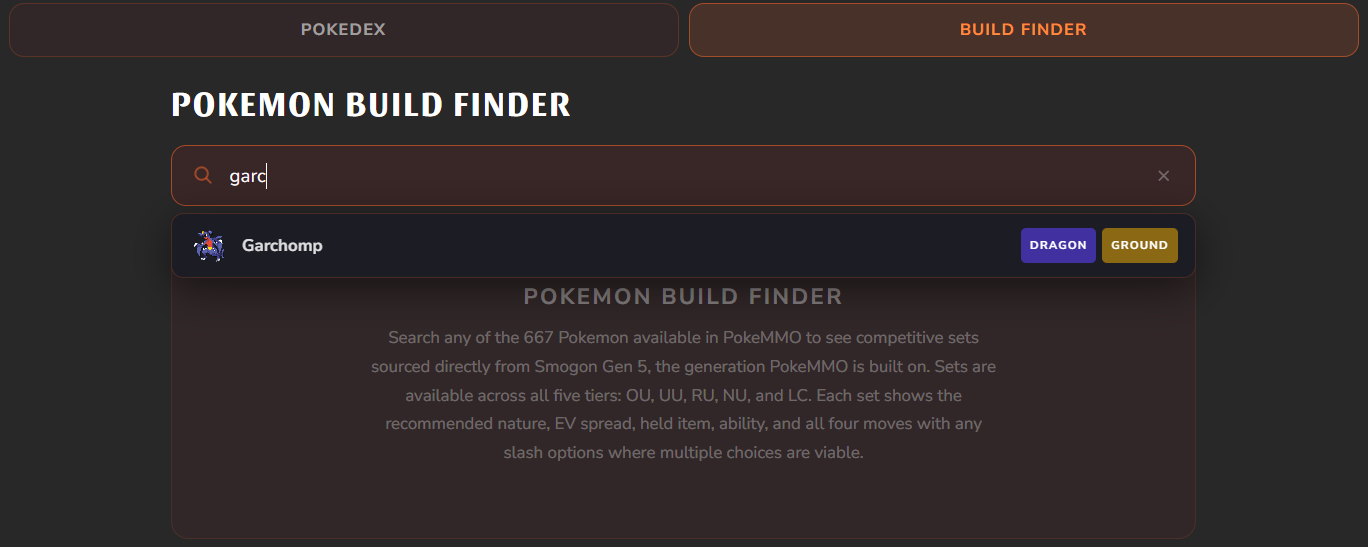
Type the name of any Pokemon in the search bar and a dropdown appears showing matching results. Select the Pokemon you want and the Build Finder loads all available competitive sets for it immediately. There is no need to type the full name - a few letters is enough to find what you are after. The X button clears the search so you can start again quickly.
Builds are organised by the five standard Smogon tiers. Here is a quick explanation of each:
- OU (Overused) - the top competitive tier, featuring the strongest and most commonly used Pokemon in standard play
- UU (Underused) - one step down, with Pokemon that are strong but not dominant enough for OU
- RU (Rarelyused) - a solid mid-tier where many reliable Pokemon live
- NU (Neverused) - lower tier Pokemon that can still be highly effective in the right team
- LC (Little Cup) - a format where only unevolved Pokemon at level 5 compete
If a Pokemon has sets across multiple tiers - for example if it has both an OU set and an LC set - all of them will appear. Many Pokemon you would not expect have LC sets, so it is worth checking even if you think there will be nothing.
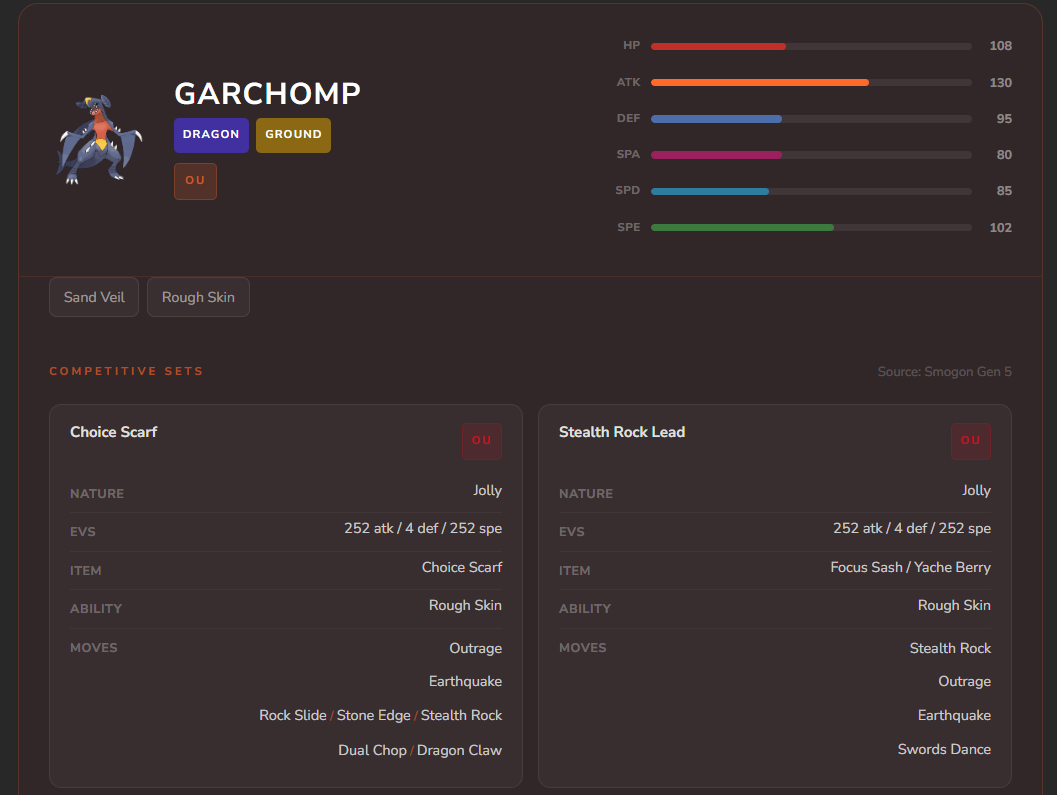
Every competitive set displays the following information in a clear layout:
- Set name - a descriptive label such as "Scarf Sweeper" or "Bulk Up" so you know the playstyle immediately
- Nature - the recommended nature to maximise the Pokemon's role
- EV Spread - the exact investment in each stat, written in standard shorthand (e.g. 252 Atk / 4 Def / 252 Spe)
- Held Item - the recommended item, whether that is a Choice Scarf, Leftovers, Life Orb, or something more niche
- Ability - the correct ability for the set, important for Pokemon that have multiple options
- Moves - all four move slots, and where multiple viable options exist they are shown with slashes (e.g. Ice Punch / Earthquake) so you can make an informed choice
The Pokedex and Build Finder are designed to work as a pair. A typical workflow might look like this:
- Switch to the Pokedex tab and search for the Pokemon you want to build
- Check its base stats to understand whether it should be a physical attacker, special attacker, or tank
- Review its egg groups and egg moves to plan the breeding chain you will need
- Note its EV yields to plan what you will farm for EVs after catching it
- Switch to the Build Finder tab, search the same Pokemon, and pick the set that fits your team
- The set tells you exactly what nature, EVs, item, and moves you need - everything required to go from blank Pokemon to battle ready
Done. No external sites, no wiki tabs, no forum searching. Everything from encounter location to finished competitive set is on one page.
Both tools are free to use and always available at the link on the Crimson Core website. If you have suggestions for features you would like to see added, drop them in the community Discord and the team will look at them.